by Alkan Balkaya · Last updated: 2026-08-03
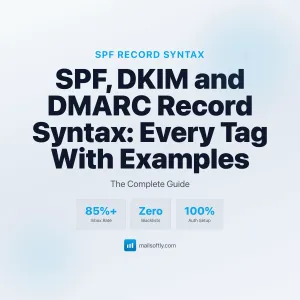
Email authentication protocols are DNS-based standards, mainly SPF, DKIM, and DMARC, that verify a message genuinely comes from your domain. They stop attackers from spoofing your brand, protect your sender reputation, and are now required by Gmail and Yahoo for bulk senders, directly deciding whether your email reaches the inbox.
In today’s digital economy, email is one of the most powerful tools for communication, marketing, and customer engagement. That same reach makes it a favorite target for fraud. Authentication is how you prove, at the DNS level, that the mail carrying your name is legitimate. To understand the fundamentals first, read our guide on What Is Email Authentication?, part of Mailsoftly’s Email Deliverability & Reputation series.
New here? Start with our primer on email deliverability for the fundamentals, then come back to this guide.
To see why these protocols are essential, watch the short overview below:
Quick context: Mailsoftly offers transparent pricing, free hands-on migration, and human support. 500 contacts and 2,000 emails per month with your Gmail, Outlook, Google Workspace or Microsoft 365 account, no credit card.
Start free with Mailsoftly →
Key Takeaways
Email authentication protocols are a set of DNS records that let receiving mail servers confirm a message is genuinely from the domain it claims. The three core standards work together: SPF authorizes which servers may send for you, DKIM cryptographically signs each message, and DMARC tells receivers what to do when the first two fail and sends you reports.
Think of them as a digital passport. Individually each has gaps, but stacked together they give mailbox providers like Gmail, Yahoo, and Outlook a reliable way to tell your real mail from an impersonator. A fourth standard, BIMI, sits on top of a passing DMARC policy and displays your brand logo in the inbox. Here is how the four compare at a glance.
| Protocol | What it does | Protects against |
|---|---|---|
| SPF | Lists the IP addresses allowed to send mail for your domain. | Unauthorized servers sending as you. |
| DKIM | Adds a cryptographic signature verified against a public DNS key. | Message tampering in transit. |
| DMARC | Sets policy for failures and returns aggregate reports. | Domain spoofing and exact-match phishing. |
| BIMI | Displays your verified logo next to authenticated mail. | Low recognition and inbox trust gaps. |
Read enough? Try Mailsoftly free with 500 contacts and 2,000 emails per month with your Gmail, Outlook, Google Workspace or Microsoft 365 account, no credit card.Start free with Mailsoftly →
Authentication protects your domain reputation by proving every message is legitimate, so mailbox providers keep trusting you. Your domain reputation is like a credit score for your sending: a strong one lands you in the inbox, while a damaged one pushes you to spam or gets you blocked entirely.
Domain reputation is a measure of how trustworthy email service providers (ESPs) like Gmail, Yahoo, and Outlook consider your domain. It is built from engagement, complaint rates, spam-trap hits, and, increasingly, whether your mail is authenticated. A good reputation means your messages reach real inboxes. A poor one means they are filtered or refused.
Authentication acts as a digital passport that verifies your mail really came from your domain and not from a malicious actor. By publishing SPF, DKIM, and DMARC records, you signal to ESPs that you are a legitimate sender and you close the door on spammers who would otherwise ride your good name. This is a foundational part of strong email deliverability.
If your domain is compromised and used to send spam or phishing, the damage compounds quickly:
By safeguarding reputation through authentication, you keep your campaigns effective and your brand credible.
SPF, DKIM, and DMARC prevent phishing and spoofing by making it far harder for an attacker to send mail that convincingly appears to be from your domain. Email remains one of the leading vectors for cyberattacks, so shutting down impersonation at the source is one of the highest-impact security steps a business can take.
Phishing is a fraudulent attempt to obtain sensitive information by masquerading as a trusted entity. Spoofing is the act of forging a sender address or domain to deceive recipients. Together they exploit misplaced trust, and email marketing at scale is a common backdrop for these attacks, as illustrated by industry email marketing statistics.
By enforcing all three, you dramatically reduce the odds of your domain being weaponized in a phishing or spoofing campaign, protecting both your business and your customers.
Email authentication improves deliverability because authenticated mail passes the verification checks ESPs use to separate trusted senders from spam. Deliverability is the ability of your messages to reach the inbox, and in 2026 authentication is no longer optional for anyone sending at volume.
Prioritizing authentication means your most valuable communications actually reach the people you sent them to.
Email authentication builds brand trust because recipients can see, at a glance, that a message is genuinely from you. Layered with BIMI, authentication lets your verified logo appear right in the inbox, turning a technical safeguard into a visible mark of legitimacy.
BIMI (Brand Indicators for Message Identification) is a standard that lets businesses display their brand logo alongside authenticated emails. That visual cue reassures recipients of the message’s legitimacy and reinforces recognition before they even open it. BIMI requires a passing DMARC policy, so authentication and brand trust are directly linked.
Trust is the foundation of any lasting business relationship. Authenticated mail paired with BIMI cultivates a trustworthy image that supports long-term loyalty and retention.
Email authentication supports compliance by giving you transparency, accountability, and control over who sends mail in your name, which are central to modern privacy and anti-spam laws. Many industries are governed by strict rules such as the CAN-SPAM Act, the GDPR (General Data Protection Regulation), and CASL (Canada’s Anti-Spam Legislation), all of which impose requirements on how businesses send and manage email.
Non-compliance can bring heavy fines, legal action, and reputational damage. Robust authentication helps you meet legal obligations while demonstrating a genuine commitment to ethical, secure business practices.
Yes. Even if you never send newsletters or bulk campaigns, email authentication is still essential. Every message from your domain contributes to your reputation, and a single spoofed email can undermine the deliverability of the legitimate ones.
Every email sent from your domain shapes your overall standing. Unauthorized mail, even sporadic, can damage that standing and drag down the delivery of your real invoices, quotes, and replies.
With cyber threats constantly evolving, a secure digital presence is non-negotiable. Authentication is a foundational step in fortifying your business against breaches and preserving the integrity of your communications.
Following authentication best practices aligns your business with industry standards and signals to partners, customers, and stakeholders that you take security and reliability seriously.
You set up email authentication by publishing SPF, DKIM, and DMARC records in your domain’s DNS, then monitoring the results. Here is the practical sequence:
For the broader picture on inbox placement, sender reputation, and advanced playbooks, see our complete email deliverability pillar guide.


SPF authorizes which servers can send for your domain, DKIM cryptographically signs each message so receivers know it was not altered, and DMARC ties the two together by setting a policy for failures and sending you reports. You need all three working in concert for full protection.
For bulk senders, yes. Gmail and Yahoo require SPF, DKIM, and a DMARC policy for high-volume senders, and mail that fails these checks is filtered to spam or rejected. Even low-volume senders should authenticate to protect their domain from spoofing.
Without authentication, your mail is more likely to land in spam or be rejected, and attackers can spoof your domain to send phishing in your name. That erodes deliverability, damages your reputation, and puts customer trust at risk.
Publishing the DNS records usually takes 15 to 30 minutes, though DNS propagation can take up to 48 hours. Reaching an enforced DMARC policy of “reject” takes longer, typically a few weeks of monitoring reports so you can safely tighten the policy without blocking legitimate mail.
For a complete walkthrough of how SPF, DKIM, and DMARC work together, revisit our What Is Email Authentication? guide. When you are ready to configure everything correctly, Mailsoftly’s Email Authentication Service can handle the setup and ongoing monitoring so every message you send earns inbox trust.
Ready to send mail that reaches the inbox?Start free with Mailsoftly →
500 contacts, 2,000 emails per month with your Gmail, Outlook, Google Workspace or Microsoft 365 account. Free hands-on migration. No credit card. The Starter plan is $15 a month (billed yearly) for 1,000 contacts and 10,000 emails, and lets you send from your own domain.
Ready to boost your email marketing?
Send beautiful, targeted emails that convert. Free plan available, paid plans from $15 a month.
Try Mailsoftly FreeNo credit card required