


- © 2026 Mailsoftly Inc. The name "Mailsoftly" and the Mailsoftly logo are registered trademarks of Mailsoftly Inc.

The rules that separate high-performing email programs from the ones subscribers ignore. Data-backed, tested, and organized for immediate implementation.
 by Isabella Torres · Last updated: 2026-09-25
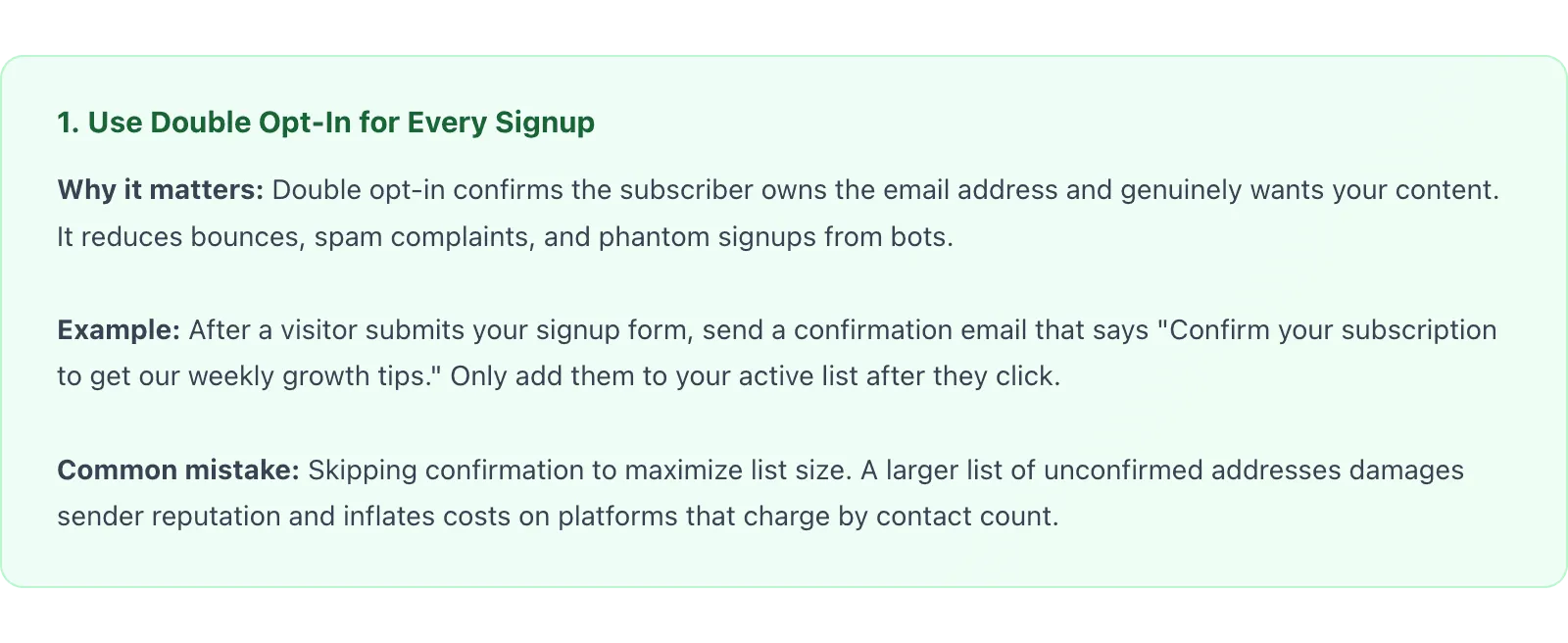
The best email marketing practices for 2026 fall into five disciplines: build permission-based lists with double opt-in, write specific value-first copy, design mobile-first at 600px, authenticate your domain with SPF, DKIM, and DMARC, and optimize with click-through testing. Master these and email keeps returning roughly $36 for every $1 spent.
Email marketing still delivers the highest ROI of any digital channel. But the gap between email programs that thrive and those that stagnate has never been wider. Privacy regulations tightened. Inbox algorithms evolved. Subscriber expectations shifted. The tactics that worked three years ago now actively hurt your deliverability and engagement.
This guide distills 25 email marketing best practices into five categories: list building, content and copy, design and layout, deliverability, and analytics. Each practice includes a concrete example and the common mistake that undermines it. Whether you are launching your first campaign or optimizing an established program using email marketing software, these rules form the foundation of sustainable growth.
New here? Start with our primer on Email Marketing Fundamentals for the fundamentals, then come back to this guide.
Quick context: Mailsoftly offers transparent pricing, free hands-on migration, and human support. 500 contacts and 2,000 emails per month, no credit card.
Start free with Mailsoftly →
Key Takeaways
Build your list with permission, not shortcuts: double opt-in, a specific lead magnet, well-placed forms, clear expectations, and zero purchased addresses. Your email list is a depreciating asset. Subscribers disengage, addresses go stale, and contact databases decay at roughly 22% per year. These five practices ensure your list grows with qualified, engaged subscribers rather than dead weight.
2. Offer a specific, valuable lead magnet. Generic promises like “subscribe to our newsletter” convert at a fraction of the rate of a concrete offer. A checklist, template, calculator, or exclusive report gives visitors a reason to hand over their address. Match the lead magnet to the page content: a visitor reading about email subject lines should see a subject line swipe file, not a generic marketing ebook.
3. Place signup forms where attention already exists. The highest-converting form placements are inline within blog content, at the end of articles, and as exit-intent overlays. Sidebar forms consistently underperform because readers rarely look right. Test placement with heatmap data before adding more forms.
4. Set expectations at signup. Tell subscribers exactly what they will receive, how often, and why it matters. “Get one growth tactic every Tuesday” outperforms “Join our mailing list.” When subscribers know what to expect, they are less likely to mark messages as spam or unsubscribe immediately.
5. Never purchase or scrape email lists. Bought lists contain spam traps, outdated addresses, and people who never consented to hear from you. Sending to these addresses triggers ISP blacklists and can permanently damage your domain reputation. Industry benchmarks compiled in HubSpot’s marketing statistics show that permission-based lists consistently outperform purchased ones on open and click rates. Build your list the slow way; it compounds.
Read enough? Try Mailsoftly free with 500 contacts and 2,000 emails per month, no credit card.Start free with Mailsoftly →
Copy converts when it promises specific value, personalizes beyond the first name, respects scanners, drives one clear action, and uses preview text on purpose. Inbox real estate is scarce. The average professional receives over 120 emails per day. Your content must justify the open, reward the click, and earn the next send. These five practices ensure your copy does all three.
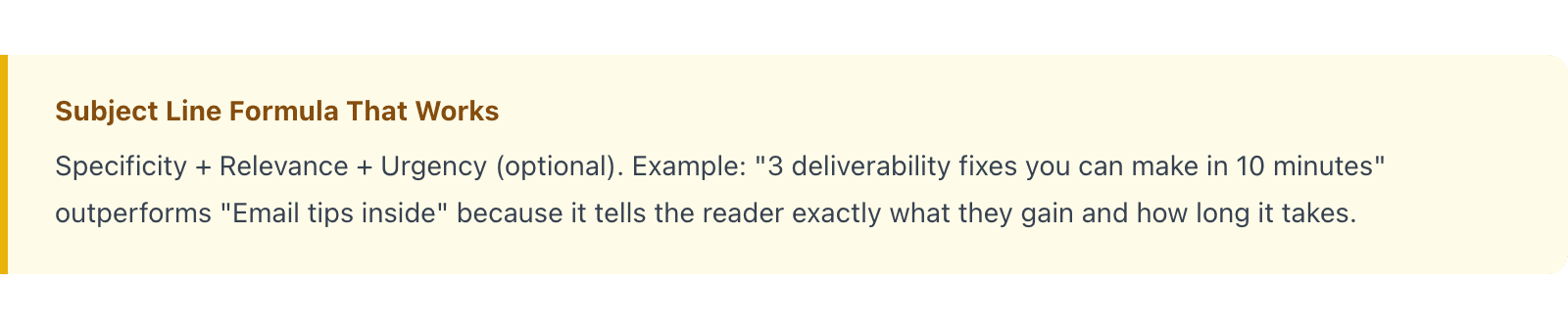
6. Write subject lines that promise specific value. Subject lines determine whether your email gets opened. Use concrete numbers, name the benefit, and keep length under 50 characters for mobile visibility. Avoid all-caps, excessive punctuation, and misleading claims that trigger spam filters or erode trust.
7. Personalize beyond the first name. Inserting a subscriber’s name is table stakes. True personalization means segmenting by behavior, purchase history, engagement level, and lifecycle stage. A re-engagement email to a 90-day inactive subscriber should look nothing like a welcome sequence message. Platforms like Mailsoftly let you build dynamic segments based on contact activity without manual list management.
8. Write for scanners first, readers second. Most recipients scan emails in an F-pattern, a reading behavior documented in Nielsen Norman Group’s eye-tracking research on F-shaped reading. Front-load the value proposition in the first two lines. Use short paragraphs (two to three sentences), bold key phrases, and bullet points for multiple items. If the subscriber has to scroll past three paragraphs to understand the point, you have already lost them.
9. Include one primary call to action per email. Every email should have a single, clear goal. Multiple competing CTAs dilute clicks across all of them. If you need to link to secondary content, make the hierarchy unmistakable: the primary CTA should be visually dominant, using a button, while secondary links use plain text.
10. Use preview text intentionally. Preview text (the snippet visible in the inbox beside the subject line) is free real estate. Most senders leave it blank, which means their email client pulls the first line of body copy, often “View in browser” or an unsubscribe link. Write preview text that complements the subject line and adds a second reason to open.
Design mobile-first at a 600px width, use web-safe fonts, optimize images, and create hierarchy with whitespace. Email rendering is inconsistent across clients. Outlook uses Word’s HTML engine. Gmail strips embedded styles. Apple Mail supports modern CSS. Designing for email means designing for the lowest common denominator while still creating an experience that feels polished.
11. Design mobile-first. Over 60% of email opens happen on mobile devices. Use a single-column layout, minimum 16px body text, and CTA buttons at least 44px tall with enough padding to prevent accidental taps. Test every email on iOS Mail and Gmail’s mobile app before sending.
12. Keep email width at 600px. A 600px maximum width ensures your email displays correctly across the widest range of clients. Wider emails create horizontal scrollbars on mobile and overflow in Outlook’s reading pane. Use a centered container with a white or light background for readability.
13. Use web-safe fonts with fallback stacks. Custom fonts render inconsistently across email clients. Stick to Arial, Helvetica, Georgia, or Verdana as your primary typeface and define a fallback stack. If brand guidelines require a custom font, use it in headings only and accept that some recipients will see the fallback.
14. Optimize images for fast loading. Compress images to under 200KB total per email. Include descriptive alt text on every image since some clients block images by default. Never build an all-image email; if images fail to load, the subscriber should still understand the message from the text content alone.
15. Create visual hierarchy with whitespace. Spacing is not wasted space; it is a readability tool. Separate sections with 24 to 32px of padding. Group related elements together and increase the gap between unrelated sections. According to Litmus’s email design best practices, emails with clear visual hierarchy see up to 20% higher click-through rates because subscribers can locate the CTA faster.
Stay in the inbox by authenticating your domain, sending on a consistent schedule, pruning inactive subscribers, monitoring sender reputation, and making unsubscribing effortless. Deliverability is the invisible foundation of email marketing. You can write the best subject line and design the cleanest layout, but none of it matters if your email lands in spam. These five practices keep your messages in the primary inbox.
16. Authenticate your sending domain with SPF, DKIM, and DMARC. Email authentication proves to inbox providers that your messages are legitimate. SPF declares which servers can send on your behalf. DKIM attaches a cryptographic signature to each message. DMARC defines the policy when authentication fails. Without all three, ISPs treat your email as suspicious by default.
17. Maintain a consistent sending schedule. ISPs track your sending patterns. If you send 500 emails per week for six months and then blast 50,000 in a single day, spam filters flag the anomaly. Increase volume gradually, no more than 20% per week, and maintain a predictable cadence. Consistency signals legitimacy.
18. Remove inactive subscribers regularly. Subscribers who have not opened or clicked in 90 to 120 days drag down your engagement metrics. Low engagement tells ISPs your content is unwanted, which pushes future emails to spam for everyone, including your active subscribers. Run a re-engagement campaign first, then suppress or remove anyone who does not respond.
19. Monitor your sender reputation proactively. Use tools like Google Postmaster Tools and Microsoft SNDS to track your domain reputation, spam complaint rate, and authentication results. A complaint rate above 0.1% is a warning sign. Above 0.3%, inbox placement drops sharply. Catch issues before they cascade.
20. Make unsubscribing effortless. A visible, one-click unsubscribe link is not optional; it is required by law in most jurisdictions and mandated by Gmail and Yahoo’s 2024 sender requirements. If subscribers cannot find the unsubscribe link, they hit the spam button instead, which is far more damaging to your reputation. Include the link in the email header (List-Unsubscribe) and the footer.
Track click-through rate as your primary signal, segment by engagement, A/B test one variable at a time, automate lifecycle emails, and prune your strategy quarterly. Data without action is just noise. The best email programs build testing into every send, measure outcomes against goals, and iterate relentlessly. These five practices turn your email analytics from a dashboard you glance at into a system that compounds results.
21. A/B test one variable at a time. Test subject lines against subject lines, send times against send times, or CTA copy against CTA copy, but never all three at once. Changing multiple variables makes it impossible to attribute the result. Use a statistically significant sample size (at least 1,000 recipients per variant) and let the test run for at least 4 hours before picking a winner.
22. Segment your audience by engagement, not just demographics. A 30-day active subscriber and a 90-day inactive subscriber have fundamentally different relationships with your brand, regardless of their job title or industry. Create engagement tiers (highly active, moderately active, at-risk, inactive) and tailor frequency and content to each tier. Mailsoftly’s segmentation tools make it straightforward to build these tiers based on open and click activity without exporting data or writing queries.
23. Track click-through rate, not just open rate. After Apple’s Mail Privacy Protection launched, open rates became unreliable as a standalone metric. Open tracking pixels fire even when the subscriber never reads the email. Click-through rate remains the most trustworthy signal of genuine engagement. Use it as your primary optimization target for content and layout changes.
24. Automate lifecycle emails. Welcome sequences, abandoned cart reminders, re-engagement campaigns, and post-purchase follow-ups should run automatically based on subscriber behavior. These triggered emails consistently outperform batch sends because they arrive at the moment of highest relevance. Start with a three-email welcome sequence and expand from there.
25. Review and prune your strategy quarterly. Email marketing is not a set-and-forget channel. Every quarter, audit your top-performing and worst-performing campaigns, review list health metrics, check deliverability scores, and update segments based on new behavioral data. What worked six months ago may now be dragging down your averages. A quarterly review prevents gradual decay from going unnoticed.
At 5,000 contacts, Mailsoftly is the lowest-cost full-featured option while still including segmentation, automation, and deliverability tools. The table below compares standard list prices across popular platforms (as of 2026-09-07). Mailsoftly’s figure is the annual rate; the others reflect each vendor’s standard monthly rate at the same contact tier.
| Platform | Plan | Price at 5,000 contacts | Free plan |
|---|---|---|---|
| Mailsoftly | Basic | $39/mo (annual) | Yes, 500 contacts |
| Mailchimp | Essentials | $75/mo | Yes, 250 contacts |
| Constant Contact | Lite | $80/mo | No (trial only) |
| ActiveCampaign | Starter | $99/mo | No (trial only) |
| Klaviyo | $100/mo | Yes, 250 profiles |
Price is only one factor. Weigh how each platform charges (Brevo and some rivals price by email volume rather than contacts), whether unsubscribed contacts still count toward your bill, and how much of the automation and deliverability toolkit sits behind higher tiers. The right choice is the one that lets you run every practice in this guide without hitting an artificial wall.
Choose a platform that supports segmentation, automation, authentication, and analytics without unnecessary complexity or cost. Many growing businesses find themselves paying for features they will never use or hitting artificial limits on the capabilities that matter most.
Mailsoftly’s Free plan includes 500 contacts and 2,000 emails per month with your Gmail, Outlook, Google Workspace or Microsoft 365 account, which is enough to build and test a complete email program before committing to a paid tier. The Starter plan is $15 a month (billed yearly) for 1,000 contacts and 10,000 emails, and lets you send from your own domain. The Basic plan at $39 per month (annual) supports 5,000 contacts with 40,000 monthly sends, including full segmentation, automation, and deliverability tools. For growing teams, you can review Mailsoftly’s pricing plans to find the tier that matches your list size and sending volume. (Pricing as of 2026-09-07.)
Work in order of impact: fix authentication and list hygiene first, then content, then testing. Reading best practices is the easy part. Implementing them consistently is where results happen. Use this prioritized checklist to put these 25 practices into action over the next 30 days.
Start with authentication and list hygiene because they protect everything else you build. Move to content and testing once the foundation is solid. Each week’s tasks take two to four hours, and the compounding effect over 90 days transforms your email program.
For the broader picture on this topic, see our complete Email Marketing Fundamentals guide, which covers strategy, fundamentals, and advanced playbooks.
The right frequency depends on your audience and the value of your content. Most B2B companies see strong results with one to two emails per week. E-commerce brands can send more frequently, especially during promotions. The key principle is consistency: subscribers should know when to expect your emails, and every send should deliver enough value to justify the next one. Monitor unsubscribe rates and complaint rates after frequency changes; if either spikes, scale back.
Industry averages range from 15% to 28%, depending on the sector and audience. However, after Apple Mail Privacy Protection inflated open rates by pre-loading tracking pixels, open rate should be treated as a directional metric for internal comparisons rather than an absolute benchmark. Focus on click-through rate (industry average 2% to 5%) as your primary engagement signal, and use open rate mainly for comparing subject line performance within your own audience.
Yes. Since February 2024, Gmail and Yahoo require bulk senders (5,000+ messages per day) to have DMARC records published. Even if you send lower volumes, DMARC protects your domain from spoofing and phishing abuse. Start with a DMARC policy of “none” to monitor, then move to “quarantine” and eventually “reject” as you confirm all legitimate sending sources are authenticated.
Keep your complaint rate below 0.1% by following four practices: use double opt-in so every subscriber actively consents, set clear expectations at signup about content and frequency, make the unsubscribe link visible and functional (one click, no login required), and suppress inactive subscribers before they lose patience. If your complaint rate is already elevated, reduce sending frequency to engaged segments only while you investigate the root cause.
There is no universally best time. Data consistently shows Tuesday through Thursday mornings (9 to 11 AM in the recipient’s time zone) as strong starting points, but your audience may behave differently. The best approach is to A/B test send times over several weeks using your own data. Many platforms, including Mailsoftly, offer send-time optimization that automatically delivers emails when each individual subscriber is most likely to engage.
Ready to switch?Start free with Mailsoftly →
500 contacts, 2,000 emails per month. Free hands-on migration. No credit card.

Ready to boost your email marketing?
Send beautiful, targeted emails that convert. Free plan available, paid plans from $15 a month.
Try Mailsoftly FreeNo credit card required