by Alkan Balkaya · Last updated: 2026-08-05
Your emails go to spam for five main reasons: missing SPF, DKIM, or DMARC authentication; a damaged sender reputation; content that trips spam filters; poor list hygiene; and unreliable sending infrastructure. Fix the root cause, not the symptom, and inbox placement usually recovers within a few sending cycles.
If you have been asking why your emails are going to spam instead of the inbox, this Mailsoftly guide diagnoses the exact cause and gives you a concrete fix for each one. We cover authentication, sender reputation, content triggers, list hygiene, sending behavior, and the Google and Yahoo bulk-sender rules that now decide whether large senders reach Gmail and Yahoo at all.
New here? Start with our primer on email deliverability for the fundamentals, then come back to this guide.
Quick context: Mailsoftly sets up SPF, DKIM, and DMARC for you during onboarding and monitors your sender reputation, so you do not have to figure deliverability out alone. 500 contacts and 2,000 emails per month with your Gmail, Outlook, Google Workspace or Microsoft 365 account, no credit card.
Start free with Mailsoftly →
Key Takeaways
Inboxes check three things before they trust an email: SPF, DKIM and DMARC. In Mailsoftly, Domain Authentication lists every record to add, grouped by what it does, hands your IT team a ready-made note, adds the records for you at many DNS providers with one approval, and tells you exactly what to fix until the domain is verified. The video below walks through it.
0:00 Why emails go to spam. Emails landing in spam? Very often, the fix is a few DNS records. Here’s what they do, and how to add them.
0:09 What do SPF, DKIM and DMARC check? Before an inbox trusts your email, it checks three things. SPF, is this server allowed to send for your domain. DKIM, did it really come from you, unchanged. And DMARC, what to do with emails that fail. Without them, even good emails can end up in spam.
0:30 Where do I set up domain authentication? In your email settings, open Domain Authentication. Each domain shows what it still needs. Now open a domain, and Mailsoftly lists every record to add, grouped by what it does.
0:44 Which records do I need? Email signing is DKIM. It proves your emails really come from you, and weren’t changed on the way. Delivery and bounces give your emails a return address on your domain. SPF is checked there, and we handle that record for you. And spoofing protection is DMARC. It tells inboxes what to do with emails that pretend to be you.
1:08 How do I add the records, or have them added for me? Someone else runs your DNS? Copy a ready-made note for your IT team. Or skip the copying. For many DNS providers, one approval adds every record for you.
1:21 How do I fix and verify the records? Mailsoftly keeps checking your DNS, and tells you exactly what to fix, even a record with the wrong type. When every record is found, your domain is verified. Your emails are signed, bounces are handled, and your DMARC policy is in place. Signed, verified, and ready for the inbox. Learn more at mailsoftly.com.
Emails go to spam when a mailbox provider cannot verify who you are or when your past sending looks risky. Almost every case traces back to one of five causes below. Find yours in the table, then jump to the matching fix in the next section.
| Cause | What it looks like | Who it hits |
|---|---|---|
| Missing SPF, DKIM, or DMARC | Mail marked “unauthenticated” or spoofable | New domains, self-hosted senders |
| Damaged sender reputation | Sudden spam placement after a bad send | Anyone with a spike in bounces or complaints |
| Spammy content triggers | Filters flag words, links, or image-only mail | Promotional and sales campaigns |
| Poor list hygiene | High bounces, spam traps, dead addresses | Purchased or aged lists |
| Sending infrastructure | Cold IP, shared IP abuse, no warm-up | New senders scaling fast |
Most email platforms hand you these five problems and leave you to solve them. Mailsoftly configures authentication during onboarding and watches your reputation signals for you, so the two hardest causes are handled before your first campaign goes out.
Read enough? Let Mailsoftly handle deliverability for you. 500 contacts and 2,000 emails per month with your Gmail, Outlook, Google Workspace or Microsoft 365 account, no credit card.Start free with Mailsoftly →
Spam filters weigh sender reputation, authentication, engagement, content quality, and sending frequency together, then decide whether a message reaches the inbox, the promotions tab, or the spam folder. No single factor wins alone, which is why deliverability is a system, not a one-time fix.
In this video, I walk through the real-world mechanics of how mailbox providers like Gmail and Outlook decide whether your email lands in the inbox or the spam folder. You will learn how authentication (SPF, DKIM, and DMARC), sender reputation, and engagement all work together to determine your deliverability score, and how Mailsoftly helps marketers monitor and improve it in practice.
Watch the full video below to understand the deeper logic behind spam filters and see practical examples of domain warm-up, list hygiene, and message testing in action.
| Factor | Description | Example Issue |
|---|---|---|
| Sender Reputation | History of your domain or IP | High bounce or complaint rates |
| Authentication | Verifies your identity | Missing SPF or DKIM records |
| Engagement | Subscriber interaction | Low open or click rates |
| Content Quality | Language and formatting | Spam trigger words |
| Frequency | Sending behavior | Irregular or excessive sending |
According to industry deliverability benchmark research, roughly one in five legitimate emails never reach the inbox, which directly impacts marketing ROI. Even a well-written campaign fails if it lands where nobody looks, so treating deliverability as a system rather than a single fix is what separates senders who reach inboxes from those who do not.
Fix emails going to spam by treating the specific cause you diagnosed above. Work top down: authentication first because it is the fastest win, then reputation, content, list hygiene, and infrastructure. Here is the concrete fix for each of the five causes.
Publish all three records in your DNS and align your From domain with the domain that signs the mail. Without authentication, Gmail and Yahoo routinely filter or reject bulk mail because they cannot prove the message is really from you.
See our What Is Email Authentication? guide for step-by-step setup details on each record. Mailsoftly configures SPF, DKIM, and DMARC during onboarding, so you skip the DNS guesswork most platforms leave to you.
Rebuild reputation by pulling back to your most engaged contacts and sending consistently valuable mail until trust recovers. Reputation is a trust score with mailbox providers, and it is repaired the same way it was damaged: through behavior over time.
Swap hype and shouting for clear, honest language, and balance text with images. Filters flag exaggerated promises, urgency words, ALL-CAPS subject lines, and image-only emails that hide their intent.
| Trigger Words | Better Alternatives |
|---|---|
| Free!!!, Winner, Guaranteed | Complimentary, Proven, Exclusive |
| Urgent, Act Now | Learn More, Discover |
| ALL CAPS subject lines | Clear and conversational style |
Keep subject lines under 50 characters, maintain a 70/30 text-to-image ratio, and use an honest, consistent tone throughout the message.
Clean your list down to real, engaged people and never buy or scrape addresses. Bad list hygiene drives bounces and spam-trap hits, which are among the strongest signals that push future sends to the spam folder.
Mailsoftly’s contact management removes inactive users and segments lists automatically, so your active subscribers keep your engagement signals strong.
Warm up new IPs and domains gradually and avoid abusive shared IPs. Sending high volume from a cold sender looks suspicious, so build a track record of engaged opens before you scale.
Mailsoftly can automate warm-ups and monitor performance during the process, so you scale without spooking the filters.
If you send 5,000 or more messages per day to personal Gmail accounts, Google and Yahoo now require you to authenticate, offer one-click unsubscribe, and keep spam complaints low. Miss these and your mail gets filtered or rejected regardless of content quality.
| Requirement | What it means |
|---|---|
| Authenticate with SPF, DKIM, and DMARC | All three must be set up and aligned for the sending domain |
| One-click unsubscribe | Include a working one-click opt-out and honor it within two days |
| Keep spam complaints low | Stay below a 0.3% reported spam rate in Postmaster Tools; aim under 0.1% |
| Send authenticated, wanted mail | Only send to people who asked to hear from you |
These are officially documented thresholds from Google and Yahoo, not estimates. Even senders below 5,000 messages per day benefit from meeting them, because the same signals shape inbox placement at every volume. Mailsoftly builds compliant one-click unsubscribe into every email and handles authentication during setup.
Ask engaged recipients to mark your message “Not spam” and add you to their contacts, then keep authentication and engagement strong so the fix sticks. Both Gmail and Outlook learn from individual recipient actions, so a few positive signals can retrain the filter for your domain.
Keep emails out of spam by combining authentication, list hygiene, engaging content, and consistent sending. No single tactic wins on its own. These 10 proven strategies protect inbox placement and sender reputation over the long run.
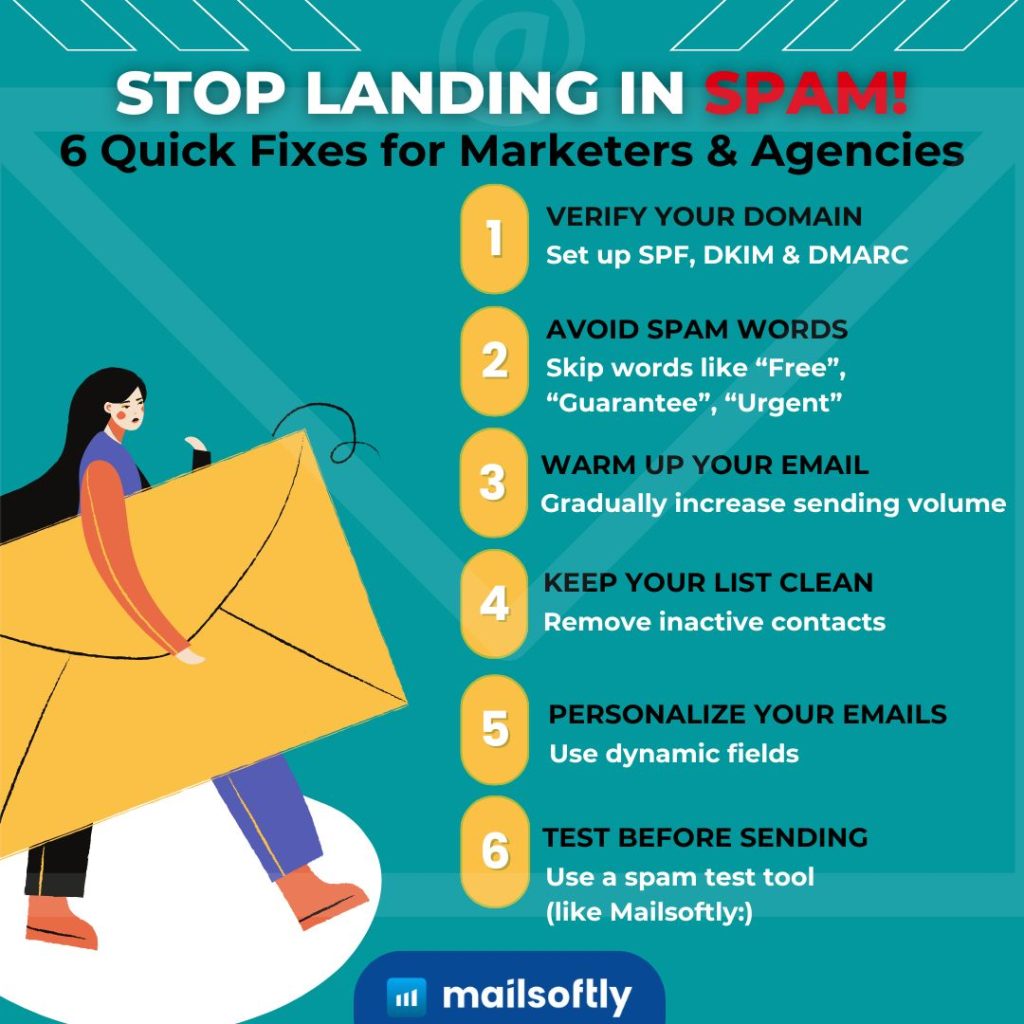
Build a healthy list with permission-based sign-ups and regular cleaning. A list of people who genuinely opted in is the single biggest driver of high deliverability.
Best practices:
| List Strategy | Benefit |
|---|---|
| Double opt-in | Reduces spam complaints |
| Regular cleaning | Improves open rates |
| Segmentation | Boosts engagement |
Mailsoftly’s contact management system helps automatically remove inactive users and segment lists intelligently, so your active subscribers get the attention that keeps engagement signals strong.
Email authentication improves deliverability by proving to mailbox providers that a message truly comes from your domain. Without it, Gmail and Yahoo now routinely filter or reject bulk mail. SPF, DKIM, and DMARC work together to verify identity and stop spoofing.
| Protocol | Purpose | Example |
|---|---|---|
| SPF | Verifies sending servers | Prevents spoofing |
| DKIM | Signs messages digitally | Confirms authenticity |
| DMARC | Defines handling of failed emails | Adds security reporting |
Checklist:
Personalize your emails because relevant messages get opened and clicked, and engagement is a direct signal that tells inbox providers you are a wanted sender. Personalization lifts the exact metrics filters watch most.
Quick personalization ideas:
Mailsoftly’s personalization tools automatically tailor content to each user’s interests, improving click-through rates.
According to HubSpot Research, personalized emails achieve 26% higher open rates and 41% higher click rates.
Words tied to scams and hype trigger spam filters: exaggerated promises, urgency, and shouting formatting. Swap them for clear, honest language to keep filters and readers on your side.

Keep subject lines under 50 characters, maintain a 70/30 text-to-image ratio, and use an honest, consistent tone throughout the message.
Mobile-friendly design matters because more than 70% of email opens happen on phones. Emails that render poorly get deleted or reported, and repeated deletes and complaints push future messages toward spam.
Mobile optimization checklist:
Mailsoftly’s drag-and-drop email builder ensures every email looks right on mobile and desktop automatically.
Maintain a good sender reputation by keeping bounces and complaints low and engagement steady. Reputation is your trust score with mailbox providers, and it is rebuilt or damaged with every send.
| Metric | Ideal Target | Impact |
|---|---|---|
| Bounce rate | Under 2% | Lower improves deliverability |
| Complaint rate | Under 0.1% | High rates cause filtering |
| Engagement | Consistent clicks and opens | Improves trust |
| Consistency | Predictable sending | Builds reliability |
Track sender reputation using Google Postmaster Tools or Mailsoftly’s analytics dashboard so you catch a dip before it becomes a spam-folder problem.
Warm up a new IP or domain because sending high volume from a cold sender looks suspicious to filters. Gradual warm-up builds a track record of engaged opens before you scale up.
Warm-up plan:
Mailsoftly can automate warm-ups and monitor performance during the process, so you scale without spooking the filters.
A clear unsubscribe link protects deliverability because it gives unhappy readers an easy exit instead of hitting the spam button. One spam complaint hurts far more than one opt-out. Gmail and Yahoo now require a working one-click unsubscribe for bulk senders.
Checklist:
Mailsoftly automatically includes compliant one-click unsubscribe links and preference management tools.
Email your subscribers at a predictable cadence that matches how often you have something worth saying. Sending too much fatigues readers and drives complaints; too little lets them forget you and mark your next message as spam.
| Frequency | Ideal Use |
|---|---|
| 1 to 2 per week | Balanced for most brands |
| 3 to 5 per week | For active or seasonal campaigns |
| Daily | For news or limited offers only |
Monitor performance with Mailsoftly analytics to find the cadence your audience actually rewards.
Testing before sending is essential because it catches spam triggers, broken links, and rendering issues while you can still fix them. A few minutes of testing prevents deliverability damage across your whole list.
Pre-send checklist:
A few minutes of testing can prevent deliverability issues and campaign losses that are far harder to reverse after the fact.
Inbox signals show mailbox providers that recipients want your mail; spam signals suggest the opposite. The table below contrasts the behaviors that land you in the inbox with the ones that send you to the spam folder.
| Area | Inbox signal | Spam signal |
|---|---|---|
| Authentication | SPF, DKIM, DMARC all pass | Missing or misaligned records |
| List source | Double opt-in, engaged | Purchased or scraped |
| Engagement | Steady opens and clicks | Low opens, high deletes |
| Content | Balanced text and images | Spam words, image-only emails |
| Complaints | Under 0.1% | Frequent spam reports |
The right tools help you authenticate, test, and monitor before and after every send. A single email marketing platform can cover most of these needs, with dedicated checkers for the rest.
| Tool Type | Example | Function |
|---|---|---|
| Email Marketing Platform | Mailsoftly | Automation, personalization, analytics |
| Spam Testing | Mail Tester, Mailsoftly Spam Checker | Pre-send deliverability checks |
| Authentication Monitor | DMARC reporting, DNS record checkers | SPF, DKIM, DMARC validation |
| Analytics | Google Postmaster, Mailsoftly Reports | Open and conversion tracking |
Mailsoftly plans start free with 500 contacts and 2,000 emails per month with your Gmail, Outlook, Google Workspace or Microsoft 365 account (as of 2026-04-15). Paid tiers begin at $15 per month billed annually for 1,000 contacts, with Basic at $39 for 5,000 contacts, so you can grow without switching tools once your list scales. Compare the full Mailsoftly pricing plans to find the tier that matches your volume.
Deliverability is crucial because it decides whether your emails are ever seen. Every message that lands in spam is wasted budget and lost revenue, while strong inbox placement compounds into engagement, trust, and sales.
High inbox placement rates mean stronger engagement, while authentication and list hygiene ensure consistent long-term success. Poor deliverability quietly erodes results even when your creative and offers are strong.
By combining deliverability best practices with Mailsoftly’s automation tools, marketers can achieve consistent inbox placement and build long-term customer trust.
For the broader picture on this topic, work through our email deliverability checklist, which covers strategy, fundamentals, and advanced playbooks in the Email Deliverability and Reputation series.


Not always. SPF is checked against the return path, the bounce address, not the From address you see. When your email platform gives your emails a return path on your own domain, as Mailsoftly’s domain authentication does, SPF passes on that subdomain and your main SPF record stays as it is. You still need DKIM signing for your domain and a DMARC record; if you have no DMARC record yet, start with a policy of none while you check your reports.
A sudden shift usually means a reputation event: a spike in bounces or spam complaints, a broken authentication record, a purchased or stale list, or a big jump in volume. Check that SPF, DKIM, and DMARC still pass, then pull back to your most engaged contacts until placement recovers.
Ask engaged recipients to mark the message “Not spam” and add your address to their contacts, and make sure your domain passes SPF, DKIM, and DMARC. Both Gmail and Outlook learn from these signals, so consistent authentication plus positive recipient actions retrain the filter over a few sends.
Authentication is necessary but not sufficient. SPF, DKIM, and DMARC let providers verify you and are required for bulk senders, but they will not overcome low engagement, spam complaints, or a bad list. Authenticate first, then fix reputation, content, and list hygiene to fully recover the inbox.
Most senders see meaningful recovery within two to four weeks of consistent, clean sending. The timeline depends on how much damage occurred and how disciplined you are afterward. Sending only to engaged contacts, keeping complaints under 0.1%, and staying consistent speeds it up.
Use a spam checker such as Mailsoftly’s Spam Checker or Mail Tester to score a draft before you send. Send test emails to Gmail, Outlook, and Yahoo accounts to confirm where they actually land, and watch Google Postmaster Tools for reputation signals.
Clean your list at least once every three months. Remove hard bounces immediately and suppress contacts who have not opened or clicked in six months to protect your reputation.
Keep your spam complaint rate below 0.1%, which is one complaint per 1,000 emails. Gmail treats sustained rates approaching 0.3% as a strong signal to filter your mail, so aim well under that ceiling.
Let Mailsoftly handle deliverability for youStart free with Mailsoftly →
500 contacts, 2,000 emails per month with your Gmail, Outlook, Google Workspace or Microsoft 365 account. SPF, DKIM, and DMARC set up for you. No credit card.

Ready to boost your email marketing?
Send beautiful, targeted emails that convert. Free plan available, paid plans from $15 a month.
Try Mailsoftly FreeNo credit card required